If something happened right now, who would you call?

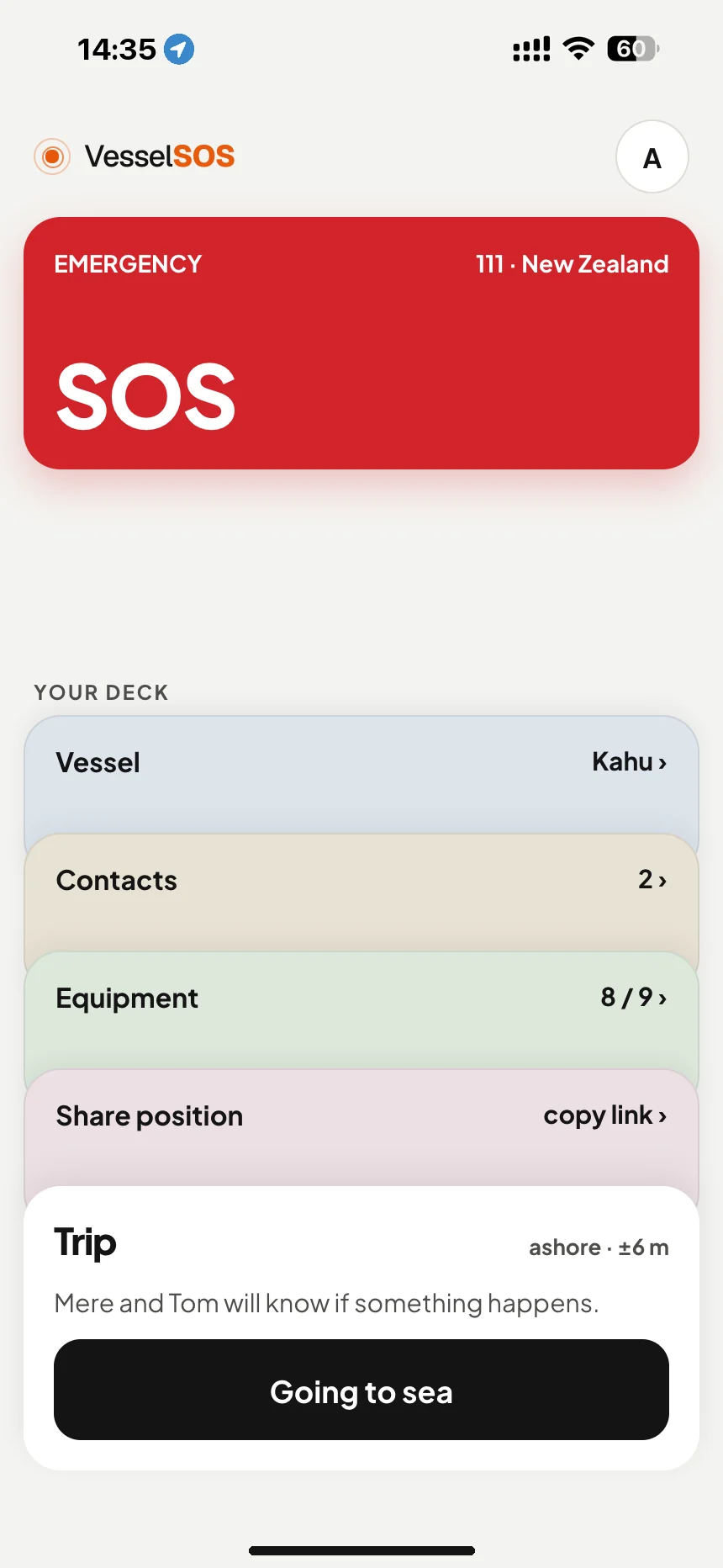
VesselSOS puts 111, the words to say and your GPS position on one screen. Tap SOS, answer one question, make the right call. Free, no account.


Download on the App StoreGet it on Google Play
Boating safety app NZ: SOS button with 111 for New Zealand waters · VesselSOS
Real app screen, New Zealand example. In New Zealand waters it dials 111; abroad, the local rescue centre.

Organising races or renting out boats?

Boating somewhere else? AustraliaNew ZealandUSACanadaUKMaltaEurope

One question first: is anyone’s life in danger?

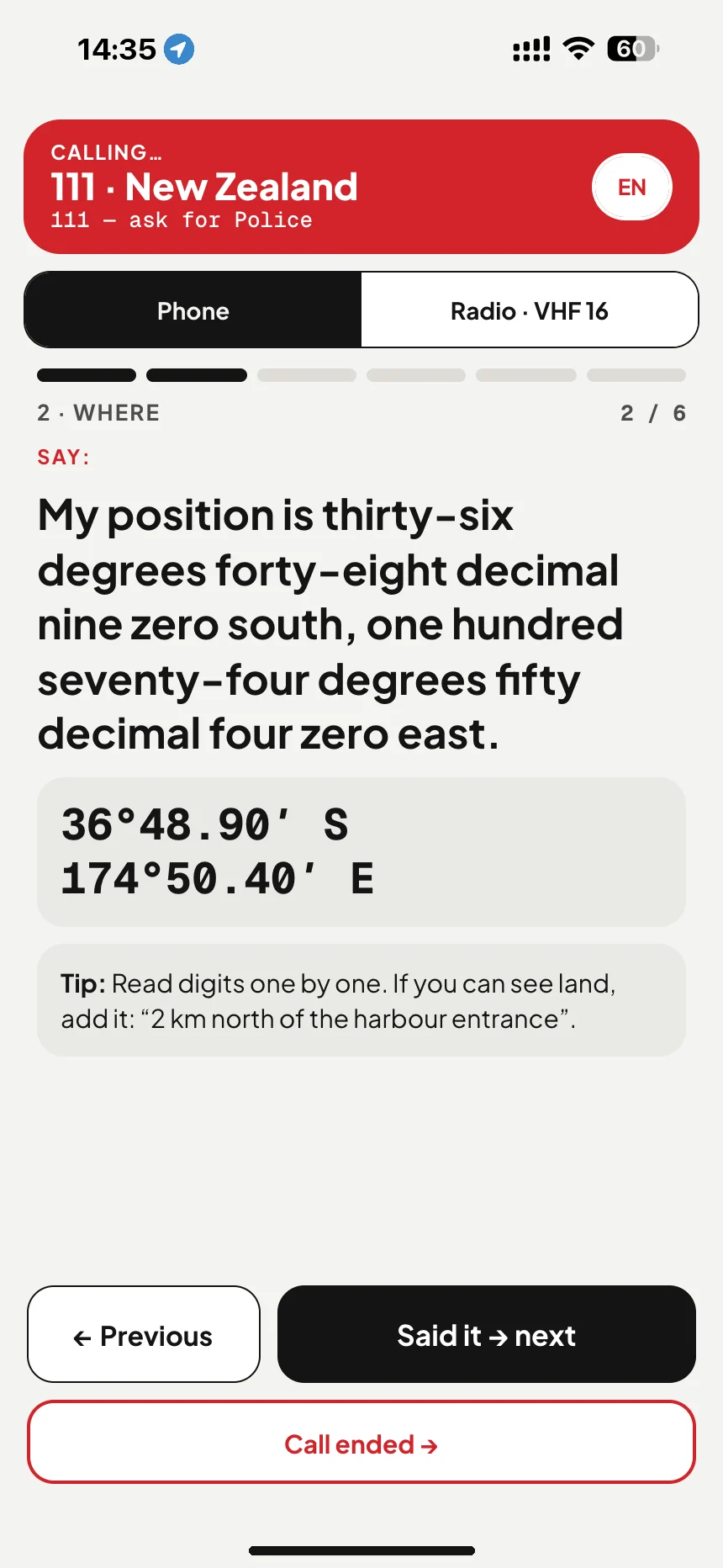
Yes: the app calls the right number for where you are (in New Zealand: 111, ask for Police) and gives you a script with your position in words.

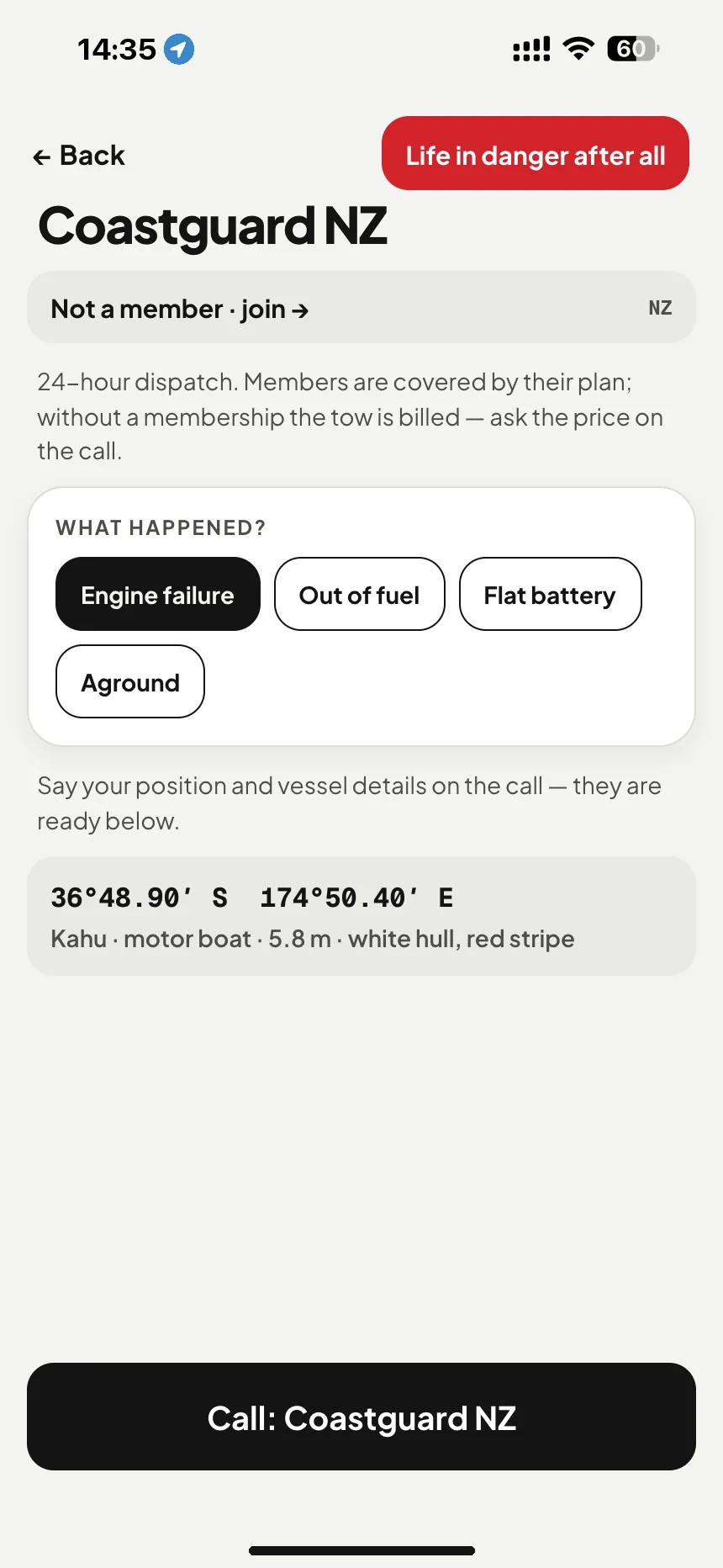
No: engine failure, out of fuel, aground? It opens technical assistance with your position and boat details ready for the call, and the local tow service where the app knows one. If things get worse, “Life in danger after all” takes you back to the rescue call.

Not sure? Choose YES. Rescuers would rather hear from you early.

No signal? Your numbers and script are already on the phone. The call needs a mobile network. VHF channel 16 doesn’t.
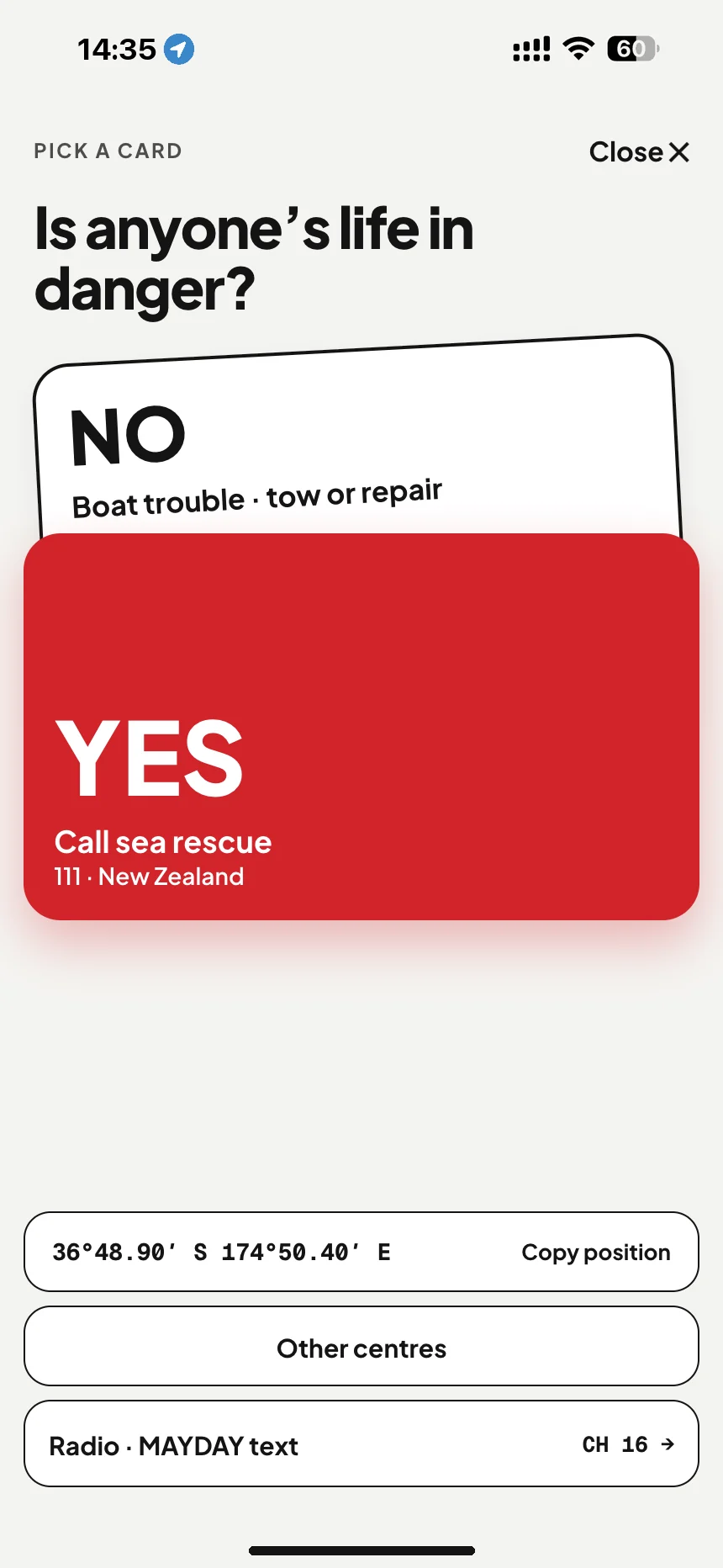
Marine SOS in New Zealand: is anyone's life in danger? Yes dials 111, no opens Coastguard help · VesselSOS
Yes or noOne tap, big buttons, wet hands.
Call 111 from a boat: the call script says “Police. Boat emergency, I’m on the water” and reads your position out in words · VesselSOS
What to sayYour position, read out in words.
Coastguard NZ breakdown help: engine failure or flat battery: one tap calls the Coastguard non-urgent line · VesselSOS
No: engine stopped?Position and boat ready. “Life in danger after all” stays on top.

Boat tracking for the people ashore.

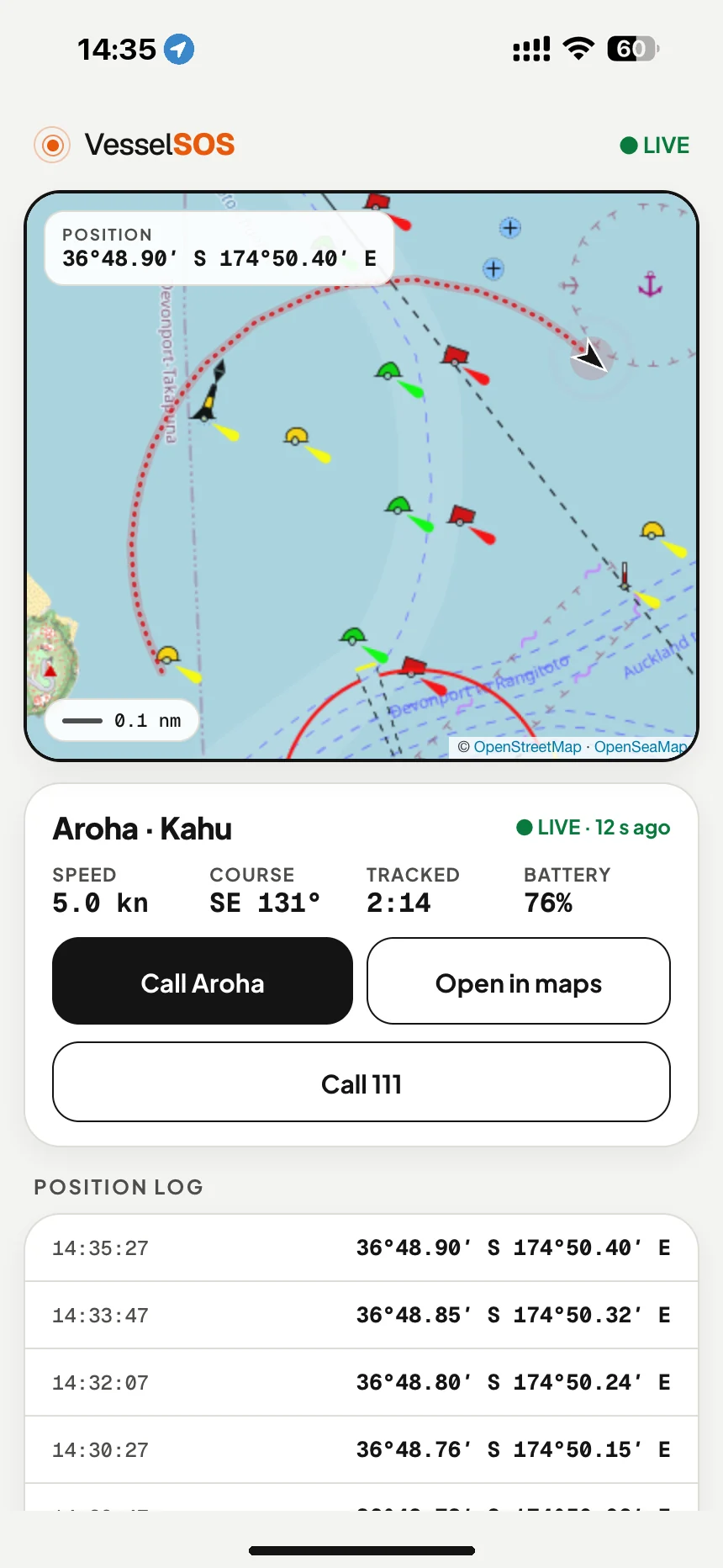
Tap “Going to sea” and set your return time. Your contacts open a link in any browser and see your position, speed, course and battery. Nothing to install, no account.

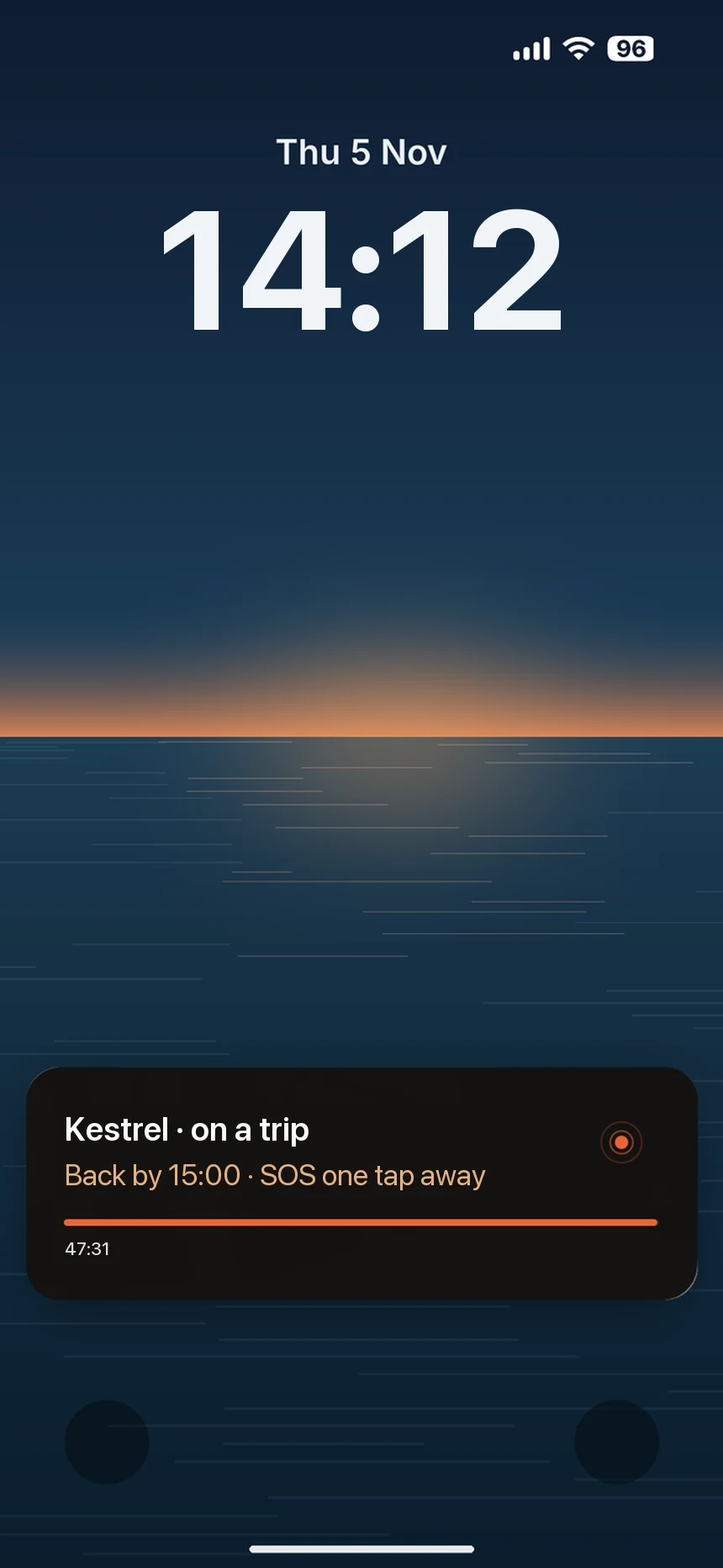
On iPhone the trip stays on your lock screen, with SOS one tap away.

Trips are part of Pro. The first 14 days are free.
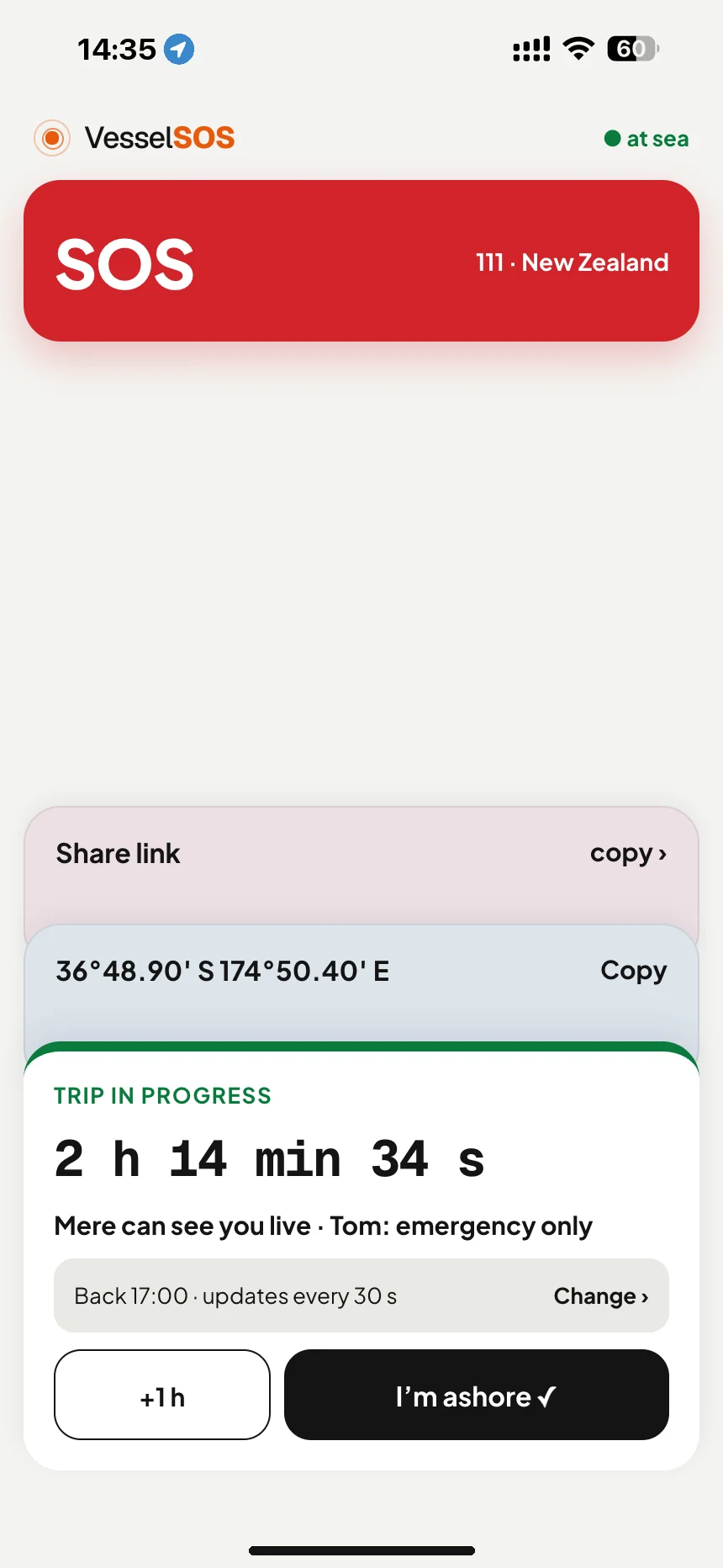
Boating trip tracking: trip under way with return time and who can see you live · VesselSOS
Trip in progressReturn time, who sees you.
iPhone lock screen during a trip: Kestrel on a trip, back by 15:00, SOS one tap away · VesselSOS
On your lock screenBack-by time and SOS. iPhone.
Boat tracking app live link: your boat's position, speed and phone battery on a map, shared with whānau ashore · VesselSOS
What they seeAny browser, nothing to install.

If you are late

  1. 15:00Your return time passes.
  2. + delayAfter the delay you chose (15, 30 or 60 min), your phone asks: Are you OK?
  3. + 10 minNo answer: up to 5 of your contacts get a text with your live map, but only on European numbers (UK included), not New Zealand numbers yet.
  4. OKWhen you answer, they get an all-clear.

The live link works everywhere, in any browser. The automatic text doesn’t reach New Zealand (+64) numbers yet, so contacts on those numbers aren’t alerted automatically: text your trip link to someone ashore yourself, agree a check-in time, and log a trip report with Coastguard as well.

If they’re not back on time

Late doesn’t always mean trouble. Open the trip link they sent you, then try calling them.

Can’t reach them and worried? Call 111, ask for Police, say a boat is overdue and give them the position from the link. VesselSOS does not alert Police or Coastguard for you.

Worried about someone out there?

You can’t install it for them. You can send it to them: the SOS is free and needs no account.
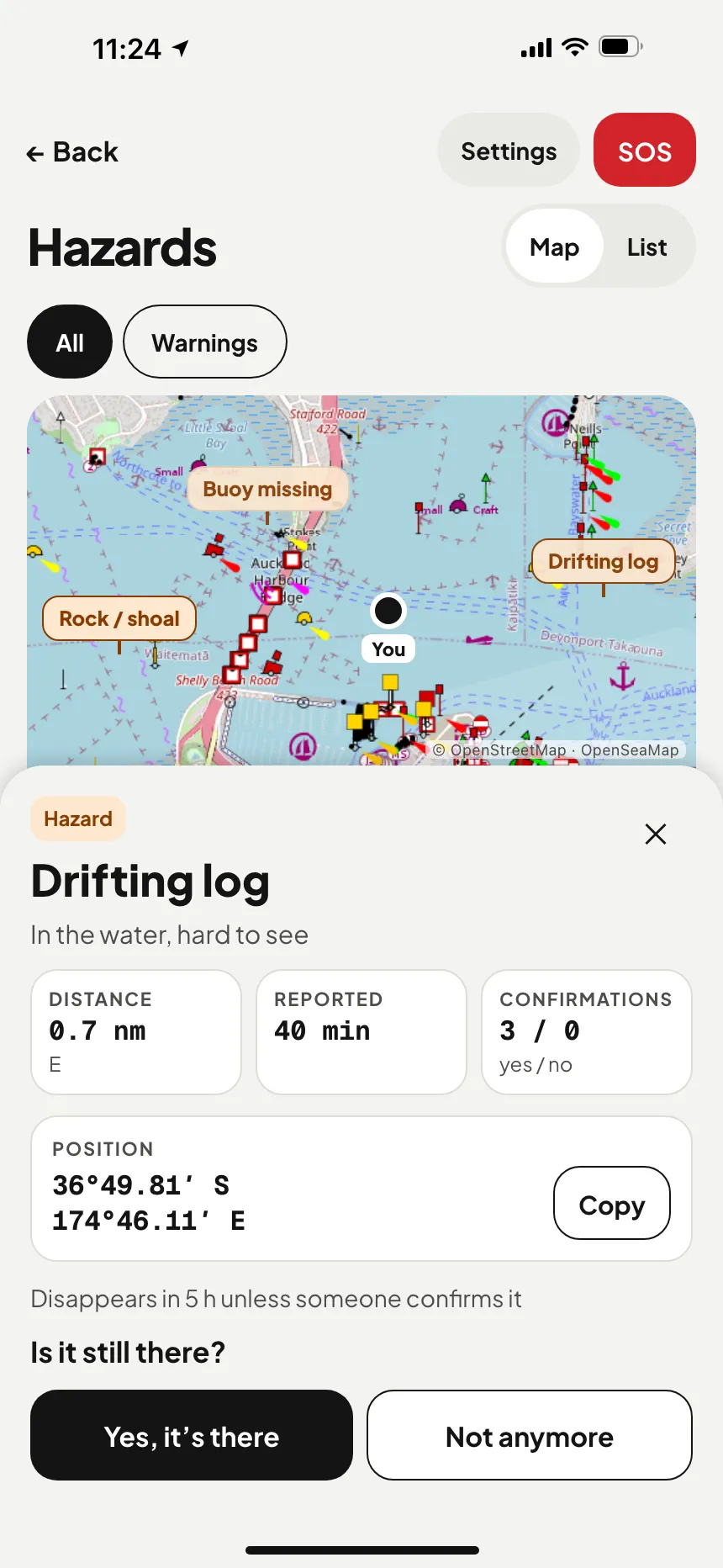
Boating hazard reports NZ: a drifting log, a missing buoy and a rock reported by other boaties nearby; the log's position and confirmations · VesselSOS

Mark a hazard. Warn the next boat.

Drifting logs, lost nets, buoys that have moved. Boaters report them and others confirm them. Reports fade out by type, from 20 minutes to 7 days, unless someone confirms them again; rocks stay until removed.

See the mapFree, no account
Report and confirmFree account
Warnings on your coursePro, during a trip

Reports come from other boaters. We don’t check them, and they don’t go to Coastguard or the police. See a person or boat in trouble? Don’t report it here: call it in.

See which friends are out on the water.

Add friends who use VesselSOS. When one heads out, you get a notification and see them on your map: where they are and how long they’ve been out. Handy when you go out in company, or want someone for an evening paddle.

  • Only friends you accept
  • Only during a trip
  • One switch turns it off
  • Not your emergency contacts

Ashore, or with “Show friends when I’m at sea” off, friends see only your name, number and boat. Friends aren’t emergency contacts and get no overdue alert.

Friends is part of Pro, for you and for each friend.

Send VesselSOS to a friend →
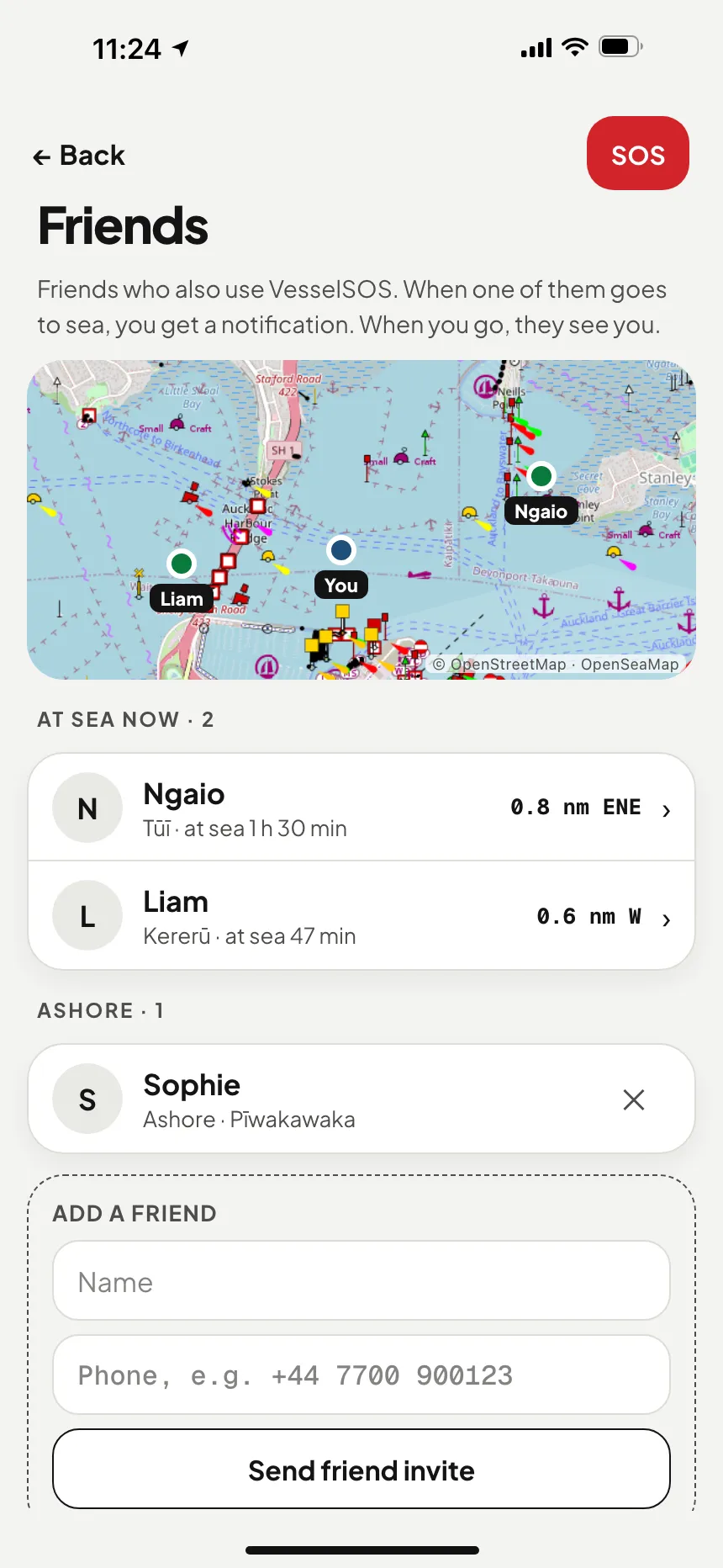
Boating friends map NZ: two friends on the water near you with their boat, time out and distance, and one friend ashore · VesselSOS
Friends at seaWho’s out, how far away.

What the app does, and what it does not.

Carry a VHF? Use it first.

MAYDAY on channel 16 or press DSC: rescue services and every boat in range hear you at once.

Is your phone all you carry?

On a SUP, kayak or jet ski, make it count: waterproof pouch, on a lanyard, charged, trip started.

A beacon is a beacon.

An EPIRB or PLB (satellite distress beacon) works where no phone does. VesselSOS does not replace one.

Numbers stay on the phone. The rescue directory works offline.

GPS, not your SIM. Abroad you get the local centre, not your home country’s.

Nothing to install ashore. Your contacts follow a link.

Not just for your own boat.

What do you take out?

The new lifejacket rules →

Harbour run, early start, back for lunch. Someone at home knows exactly where you are.
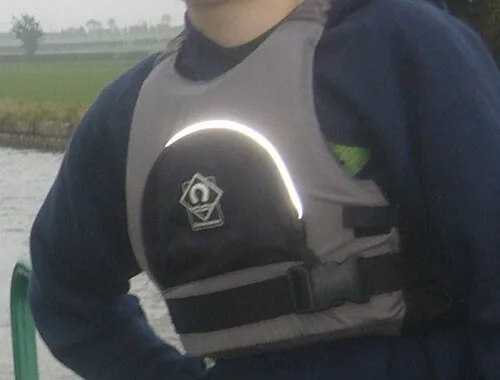
Lifejacket, worn Photo: User:no1 · CC BY-SA 3.0
WEAR IT · LAW FROM 9 OCT 2026 Lifejacket, worn
Since Friday 9 October 2026, everyone on board recreational craft 6 m or under must wear a lifejacket while underway, drifting included. Kayaks, SUPs, jet skis and tenders count.
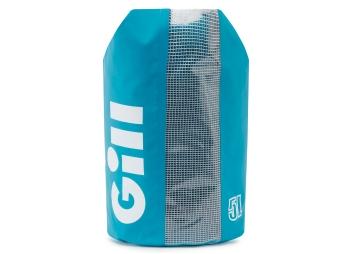
Phone in a waterproof case
TAKE TWO WAYS TO CALL Phone in a waterproof case
One of your two ways to call for help. Maritime NZ: mobiles “are only helpful if kept dry and when used close to land.”
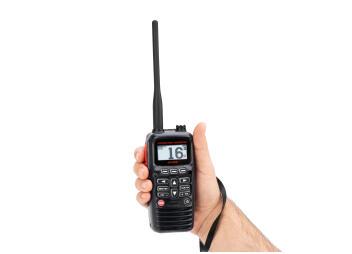
VHF marine radio
TAKE TWO WAYS TO CALL VHF marine radio
Channel 16 is monitored 24/7 by Maritime NZ’s Maritime Operations Centre. You need a VHF certificate to use one, except in a distress.
Bailer
GOOD PRACTICE Bailer
A tinny takes on water faster than you’d think in a short, steep chop.
The tinny basics National law, Maritime NZ guidance and good practice. Your regional bylaw may add more.
The new lifejacket rules →

The lifejacket law is from Maritime NZ; “two waterproof ways to call for help” is guidance from Maritime NZ and Coastguard, checked Oct 2026. Regional navigation safety bylaws add their own rules, and rules change, so check yours with the harbourmaster before you go. More detail: the new lifejacket rules · boating rules by region.

Clubs and marinas near you

Sailing, rowing and paddling clubs and guest harbours — with VHF channel, depth, prices, weather and the rescue centre for their water. Free to use, no account needed.

On the water, where are you, exactly?

The 111 operator asks which service you need, then where you are, and “off the point” isn’t a location. If you carry a VHF, channel 16 is still your first call. When all you have is a mobile, the first minute decides how fast help finds you.

WITHOUT THE APP
1
You call 111
“Which service?” Then: where are you? You’re somewhere off a shoreline you can barely see.
2
You describe the scenery
A headland, a channel marker, a bit of beach, in the wind, with a wet phone in one hand.
3
They work out who responds
Police task Coastguard close to shore; further out, RCCNZ takes the search.
4
Meanwhile, you drift
Every minute spent on “where” is a minute nobody is on the way.
WITH VESSELSOS
1
Your position, ready to read
Latitude and longitude spelled out in words, ready to read to the operator.
2
One question, then it dials 111
Is a life in danger? Yes, and the app opens the call to 111 with the number filled in; you confirm it. Offshore it also lists RCCNZ, the Rescue Coordination Centre.
3
The words are already written
“Police. Boat emergency, I’m on the water,” then where, what happened and how many on board, line by line.
BY POSITION, NOT SIM CARD COAST · HARBOURS · LAKES · RIVERS

The SOS screen is free. Forever.

Calling for help never sits behind a paywall. Pro adds live tracking, your contacts and the return-time check. Reporting hazards is free with an account.
FREENO ACCOUNT
$0
FOREVER
SOS screen with your positionOne-tap 111 call with a word-for-word scriptMayday script + position by text message
PRO · YEARLY14 DAYS FREE
$29.99
PER YEAR · NZD
Text your SOS and a live link to your contactsBoat profile goes into the call scriptLive tracking, return-time check, trip history, friends at sea, warnings about hazards on your course
PRO · MONTHLY14 DAYS FREE
$4.99
PER MONTH · NZD
The same Pro features, billed monthlyCancel any time in Google Play or the App StoreComing: internet calls to a rescue centre’s regular number (not 111, needs data)

Pro is bought in the app through Google Play or the App Store and renews automatically until you cancel; the 14-day free trial is once per person, and the store shows the price in New Zealand dollars before you confirm. Coming to Pro: calls routed through a phone-network gateway to a rescue centre’s regular number, for when you have no SIM, roaming fails or you only have satellite internet; it can’t reach 111 and it needs a data connection.

Four minutes, once.

01
Your mobile number
A text code instead of a password. It also goes into the call script, so rescuers can call you back.
02
Add the boat
Name, type, length, colour, MMSI, callsign: the first things you’ll be asked.
03
Choose your people
As many as you like, each set to None, Emergency or Live.
04
Allow location
“Always”, so tracking works with the phone locked. Stored only during a trip, an SOS or a one-hour link you start.

Questions boaties actually ask.

Does the app call Coastguard? +

Not directly. In New Zealand waters, “Yes, a life is in danger” dials 111, and the script opens with “Police”: that’s what Coastguard, Maritime NZ and NZSAR all tell boaties, and Police then task Coastguard. Offshore, the app also lists RCCNZ (0508 472 269). If nobody’s in danger, it shows Coastguard’s non-urgent line. The app isn’t connected to Police, Coastguard or RCCNZ: it dials the call and shows you the words.

Does it log a Coastguard trip report? +

No. It doesn’t log trip reports or bar crossing reports, and its automatic texts to your contacts are still being set up for New Zealand numbers, so nobody is alerted automatically if you’re late. Log a trip report with Coastguard as well (by VHF, *500 or the Coastguard app), and a bar crossing report by VHF or *500 before you cross. VesselSOS adds a live link for your people and the call script in your pocket.

What changes on 9 October 2026? +

Since Friday 9 October 2026, everyone on board recreational craft 6 m or under must wear a lifejacket while underway, on lakes, rivers, harbours and the open coast. Drifting counts as underway, and kayaks, SUPs, jet skis and tenders are covered. There’s no national fine yet, but the rule has applied since that day.

Does the app work in New Zealand? +

Yes. New Zealand support (111, the “Police” script, RCCNZ offshore, Coastguard’s non-urgent line) is in the app on iPhone (App Store) and Android (Google Play). If you have an older version, update it first.

Does it replace a VHF radio or a beacon? +

No. Maritime NZ says mobile phones “are only helpful if kept dry and when used close to land”, and not to rely on apps “as your only means of communication”. Carry two waterproof ways to call for help, a VHF first. VesselSOS is the fast backup that’s there when the radio and beacon aren’t, and the only option on many small boats.

How much battery does it use? +

Ashore, next to none: outside a trip, an SOS or a share link the app doesn’t track you; while it’s open it only checks hazards nearby, using an approximate position. During a trip it reports in the background at the interval you choose (every 30 seconds by default, roughly 4% an hour by our estimate), and slows to every 5 minutes below 20% battery. The people watching see your battery level.

What if I don’t come back on time? +

Set a return time when you leave. If you haven’t ended the trip by then, your phone asks you “Are you OK?”. Automatic texts to your contacts when you don’t answer are being set up for New Zealand numbers and don’t work here yet, so nobody else is alerted automatically. Until then, send your trip link to someone yourself. Coastguard only follows up a trip report if someone reports you overdue, so make sure someone ashore knows when to raise the alarm.

Who can see my position? +

The people you send the link to and, during a trip, accepted friends if “Show friends when I’m at sea” is on. Automatic texts with the live link, sent when you miss the “Are you OK?” check, are being set up for New Zealand numbers and don’t work here yet. The link stops when you tap “I’m ashore” (a quick share link lasts one hour), and we never sell or share location data.

Can my friends see where I am? +

Only while you’re on a trip with “Show friends when I’m at sea” on. Then friends who accepted your invitation see your position, speed, course, battery, start time and planned return, and get a push notification when you head out and when you’re back. Ashore they see only your name, number and main boat. Friends aren’t emergency contacts and get no overdue alert; automatic overdue texts to your contacts don’t reach New Zealand numbers yet either. Friends is part of Pro, and it isn’t a Coastguard trip report.

How do hazard reports work? +

Anyone can open the hazard map, even without an account. With a free account (your phone number and an SMS code, no subscription) you report a hazard (its type and your position) and confirm other people’s reports or mark them as gone. Reports expire by type, from 20 minutes to 7 days, and confirmations renew them; fixed hazards such as rocks stay until removed. With Pro, your phone also warns you during a trip about reported hazards on your course. Reports come from boaters and aren’t checked, they don’t go to Coastguard or the police, and they never replace a lookout, charts or official navigation warnings.

Stay in the loop.

VesselSOS is on the App Store and Google Play. Leave your email for safety tips and news on what’s coming next.

Download on the App StoreGet it on Google Play

Never shared or sold, one-click unsubscribe. Privacy notice

IMPORTANT

VesselSOS is an aid, not a rescue service. It doesn’t replace a VHF radio, an EPIRB or PLB, a lifejacket, or a call to 111, and it depends on your phone’s battery, GPS and coverage.

SUPPORT

A human answers within one working day.

support@vesselsos.com